I'm scheduling a new appointment but my previous report isn't available to link to - why?
In order to link to a previous report to see what was said last time:
- The report you want to link to must be marked as 'final' in the system, and
- Template selected for your new appointment must be the same as for the previous report.

Troubleshooting:
If your previous appointment isn't showing Navigate to Reports>Manage Reports and check the following:
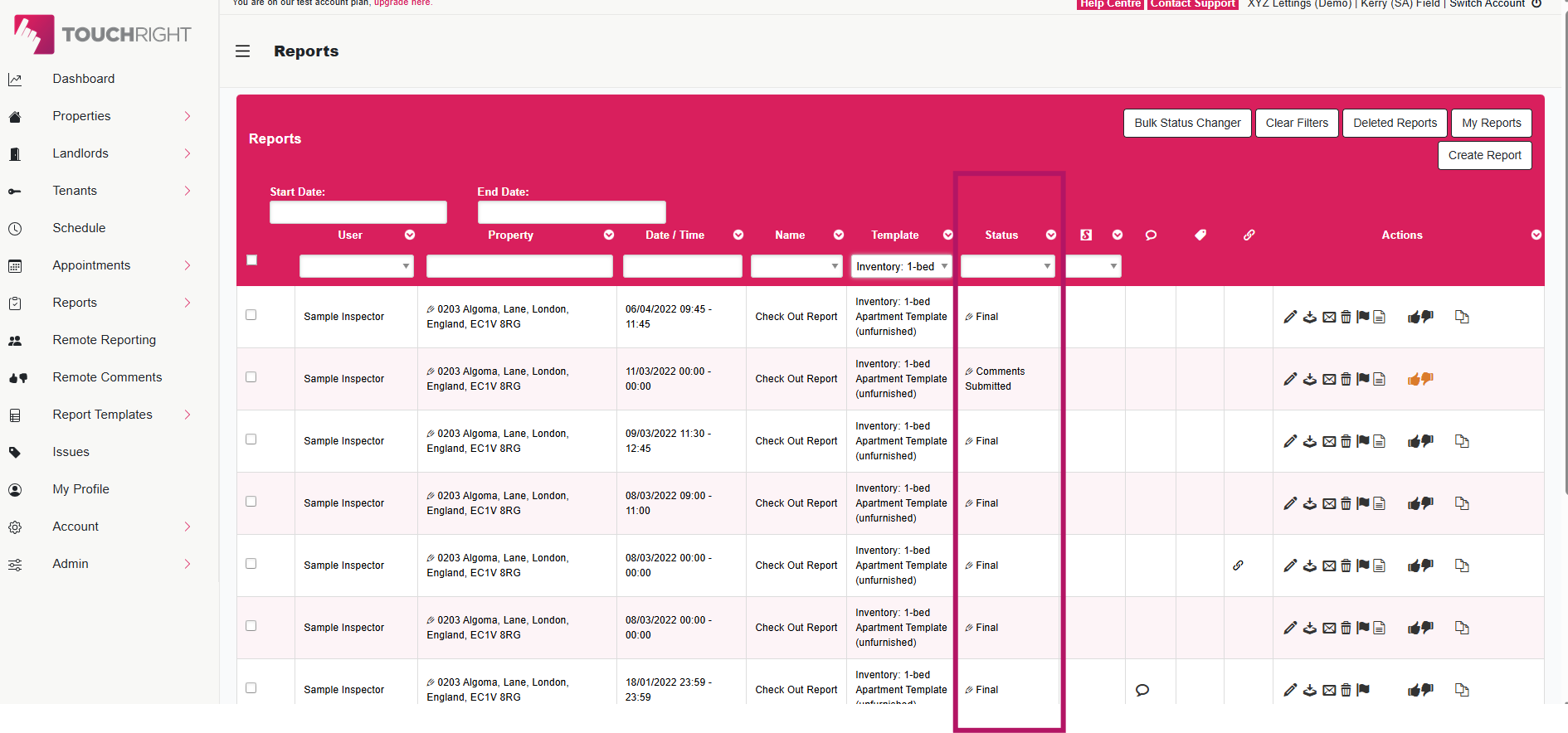
1. The status of the previous report
Locate the report you're trying to link to and view the 'status'.

Statuses:
Draft - Tap the pencil edit and mark the report as 'Save & Complete' to set it to 'Final status.
Locked - The report has been scheduled to sync to the app.
Remote Comments Submitted - The report has received comments that require reviewing and completing before the report can switch to 'Final' status. This article explains more.
2. The template used in the previous report
Locate the report you're trying to link to and view the 'Report Template' column - is the template name identical to the one you're using for your new appointment?
If these match and you're still not able to link:
Navigate to Report Templates>Manage Templates
- Do you have more than one template with the same name?
- Is the template active? If not, you'll need to re-enable it to use it for new appointments.
If you're still having trouble, raise a ticket or call us on 0208 344 9155 so we can investigate this further and advise you more fully.
Related Articles
Draft Status Sync Errors When Returning Appointments to the Dashboard
Scenario: You’ve completed an appointment in the TouchRight app, but when you try to synchronise it back to the dashboard you receive an error message about the draft status — or your completed report never appears. This often happens when the same ...I’ve created a template but can't see it when scheduling appointments. How can I fix this?
If a template you have created is not available to choose, it may be that the template is not in a final status... You’ll notice when you’re editing or creating your template that the template is noted as 'Draft'. Once you’ve finished making changes ...I've completed and synced a report but I can't find it on the dashboard. Where is the report?
If you can't locate a report you have synced from the app to the dashboard, there are a number of things you can do to locate your report. Make sure the report has definitely fully synced from your device by checking the Sync Log in the app. If it's ...New Direct Debit Mandate Requested by our Accounts Department
If your subscription mandate was cancelled at the bank in error our Accounts Department may have reached out to you requesting you set up another. To do this you'll need to have Account Owner access: On the dashboard, navigate to the 'Account' tab on ...I accidentally selected the wrong name for my report - how do I change this?
If you have scheduled an appointment and completed your report in the app and notice you selected the wrong report name, this can be changed once the report has been synced back to the TouchRight dashboard. In the Reports Area, click the pencil icon ...